The Most Competitive Panther Lake Laptop Yet
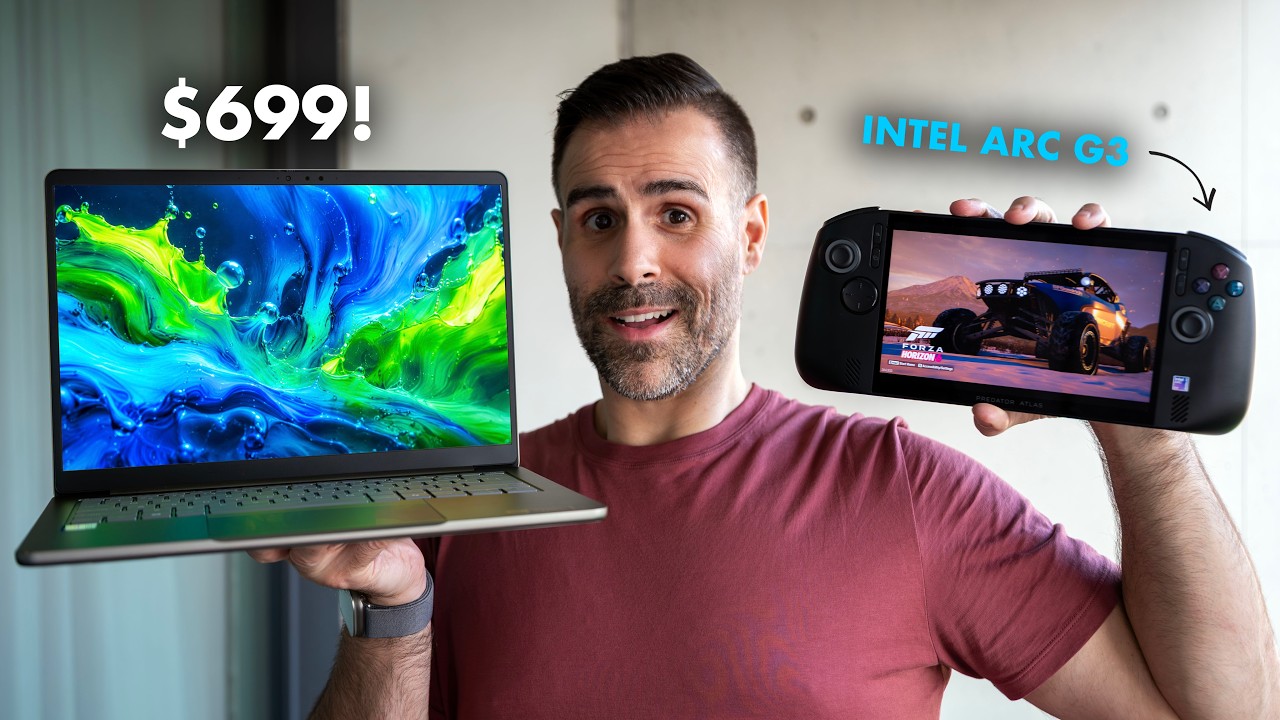
The Samsung Galaxy Book 6 Ultra with the same chip costs $2,400. The Dell XPS 16 is $1,800. Acer made some cuts to get here — but I think they made the right ones. This is the Acer Swift 16 AI at $1,799 with 32GB of RAM, 1TB of storage, and an OLED touchscreen. By the end of this, you'll know exactly who should buy it and who should skip it.
Why the CPU Tier Matters Here
Before diving into the numbers, this is important: there are two tiers of Panther Lake floating around right now. The standard Core Ultra 7 355 — which is what's inside the Samsung Galaxy Book 6 base model — gets basic integrated graphics. It's not good. It reminds me of Meteor Lake.
The Core Ultra X7 358H in this Acer gets the Arc B390. Same processor family, completely different GPU tier. When you see the benchmarks, that distinction becomes very obvious very quickly. If you're shopping Panther Lake laptops, the chip needs to have an X in front of it if you want real GPU performance.
Build Quality and Design
The Swift 16 is a 16-inch all-aluminum laptop at 3.42 lbs — pretty light for a machine this size. The lid opens with one hand and goes flat to 180°. The hinges are solid, which hasn't always been the case with Acer.
Ports — left side:
- Full-size HDMI
- USB-A 3.2 Gen 2
- 2× Thunderbolt 4
Ports — right side:
- Combo audio jack
- USB-A 3.2 Gen 2
- Micro SD card slot
No Ethernet, no full-size SD — but at this thickness, Ethernet was never happening. The micro SD slot is appreciated. One complaint: whoever placed the port stickers on the bottom lid really went for it. There's an HDMI sticker. Nobody in 2026 needs to be reminded what HDMI is.
Performance Benchmarks
The Intel Core Ultra X7 358H runs at 40 watts and the Arc B390 delivers. Here's how it stacks up against the competition:
GPU Benchmarks
| Test | Acer Swift 16 | Samsung Galaxy Book 6 | ASUS ProArt | MacBook Air M5 |
|---|---|---|---|---|
| 3DMark Time Spy | 7,050 | 3,210 | — | — |
| 3DMark Steel Nomad | 1,455 | 547 | 2,538 | 1,057 |
The Arc B390 more than doubles the Galaxy Book 6 in GPU performance — and that Galaxy Book costs $600 more.
CPU & Productivity Benchmarks
| Test | Acer Swift 16 | MacBook Air M5 | ASUS ProArt | Samsung Galaxy Book 6 |
|---|---|---|---|---|
| Firefox Rendering | 36 min | 14 min | 19 min | — |
| Photoshop | 8,225 | #1 | — | ~11% lower |
| Speedometer | 38 | 52 | — | 36 |
In Blender, the Acer finishes 51% ahead of Lenovo and 126% ahead of the Galaxy Book 6. For a thin-and-light, those are strong numbers.
Premiere Pro is the one place where the gap is honest: the MacBook Air M5 scores 77% faster. Apple's media engine is doing the real work there. The Galaxy Book 6 couldn't even complete the test. If video editing is your primary workflow, the Mac is a better call.
Gaming: Arc B390 Delivers
Intel claims the Arc B390 is on par with an RTX 4050, and in practice, the results back that up more than you'd expect at 1920×1200:
| Game | Result |
|---|---|
| Overwatch 2 | High settings, runs beautifully — no frame gen needed |
| Marvel Rivals | Handles it well, no frame gen required |
| Cyberpunk 2077 | Just under 60 FPS, playable without frame gen |
| Black Myth: Wukong | Frame generation required — very demanding title |
This is gaming class integrated graphics on a 3.42 lb laptop. That combination didn't exist a year ago.
Display: A Deliberate Trade-off
The 2880×1800 OLED panel is 120Hz, 16:10, touch-enabled, and True Black 500 certified. It looks great. But this is one of the cuts Acer made to hit the price — it's not a tandem OLED, and peak brightness doesn't break 1,000 nits. It's lower than some of the competition at this price tier.
Honestly? I'm glad they made that call. You're still getting a genuinely good OLED. It's just not the brightest one money can buy.
One thing to note on color accuracy: it shifts slightly with brightness level. At 100% brightness, you're close to a Delta E average of 2. Drop down to around 50% and it improves to under 1. The closer to 20%, the more accurate it gets. For most people it won't matter — below 2 means your eyes can't perceive a difference — but if you need maximum color accuracy, turn the brightness down.
Keyboard and Trackpad
The keyboard is a mixed bag. Actuation is good — not too soft — and decent travel. The numpad is a nice inclusion for a 16-inch machine. But the key spacing feels a touch too wide for my liking. I make more typing mistakes on this than on most other laptops. A ThinkPad, a MacBook, most ASUS laptops — they all feel tighter and more accurate. There's also some chassis flex in the middle when you press down. Not a dealbreaker, but noticeable.
The touchpad, though — I like it. It's massive, haptic, and doubles as a drawing surface. If you use a Wacom tablet for sketching, this is worth trying out. One tip: out of the box the haptic touchpad can feel a bit mechanical. Go into the settings, change the click sensitivity to light and haptic click intensity to about 3. It feels significantly better.
Webcam and Audio
The 1080p webcam has a physical privacy shutter — always appreciated. Performance in normal indoor lighting is decent.
The speakers, on the other hand, are genuinely not good. Two bottom-firing drivers. I don't understand why Acer continues to treat speakers as an afterthought. On a $1,799 premium product, this is a real miss.
Battery Life
The 70Wh battery delivers. In my PCMark Modern Office test — which simulates real mixed productivity use — I got 15 hours and 21 minutes. Not the best Panther Lake result I've seen, but very respectable for a 16-inch machine.
Panther Lake's efficiency is something I keep noticing: close the lid, walk away, and come back to your laptop not having dropped 30%. That kind of standby efficiency matters for real-world use.
Internals
The bottom panel is full aluminum. Inside:
- RAM: Soldered — not upgradeable, but 32GB is the right amount
- Wi-Fi 7: Soldered onto the motherboard
- NVMe SSD: One slot, upgradeable — but there's physical space for a second slot that Acer didn't use. On a 16-inch chassis, that's a frustrating omission
- The battery could also have been larger given the chassis size — 70Wh is good, but there was room for more
The Bloatware Problem
This is a premium product. When you unbox something at this price, it should feel premium when you first boot it up. Instead, you get a garbage game in the notification area, VPN apps, booking apps, and other software nobody asked for. Acer takes a kickback for installing these, I get it — but on a $1,799 machine, it's a turnoff.
Verdict
The Acer Swift 16 AI is not perfect. The speakers are bad. The keyboard needs tighter spacing. The display isn't the peak-brightness monster you'll find on pricier competitors. And the bloatware situation needs to stop.
But at $1,799 with 32GB of RAM, 1TB of storage, an OLED touchscreen, and an Arc B390 that competes with an RTX 4050, this is the most competitively priced Panther Lake X7 laptop I've reviewed so far. It handles productivity, handles creative work at a solid level, lasts all day, and can actually run your games.
If you're a creator living in the Mac ecosystem, the MacBook Air M5 is still a better call at basically the same price. But if you want a Windows machine that does it all without compromise on value, this is the one to beat right now. I hope more manufacturers look at what Acer did here and bring prices down across the board.
Where to Buy
Watch the full review on YouTube
Last Updated: March 2026