Deep Dive: ASUS ExpertBook Ultra Performance Analysis
The Business Laptop That Changes Everything
When you think of business laptops, you probably picture boring black rectangles with mediocre screens and basic performance. The ASUS ExpertBook Ultra shatters that stereotype completely. This isn't just another corporate machine—it's a laptop that can beat the MacBook Pro in key areas while maintaining the professional credibility your IT department demands.
After extensive testing, I'm confident this will be a top contender for best thin-and-light laptop of 2026.
Performance: Intel Makes a Comeback
CPU Performance - Intel Core Ultra 7 Series 3
Intel's latest Core Ultra Series 3 processors represent a major comeback for the blue team. The X7 variant in this ExpertBook Ultra delivers impressive multi-core performance, nearly 50% better than last year's Lunar Lake processors.
Key Performance Highlights:
- Multi-core workloads: 50% faster than Lunar Lake
- Code compilation: Highly competitive, respectable times for development work
- Video editing (Premiere Pro): Beats MacBook Pro 14 with M5 chip
- Photoshop: Slightly behind MacBook Pro (but still very capable)
The X7 does take a small hit compared to the faster X9 variant due to lower max turbo frequencies, but for everyday modern web applications and productivity tasks, you won't notice the difference. Single-core clock speeds match last year's offerings, so legacy software that doesn't use multiple cores performs similarly to previous generation chips.
Real-World Testing: In my extensive testing, the ExpertBook Ultra handled everything I threw at it. Video editing workflows that would make ultraportables struggle ran smoothly, and compiling large codebases happened in respectable timeframes. This is a legitimate workhorse processor.
GPU Performance - Intel Arc B390 Integrated Graphics
Here's where things get absolutely wild. The Intel Arc B390 integrated GPU delivers performance that rivals entry-level discrete graphics cards like the NVIDIA RTX 4050. Yes, you read that correctly—integrated graphics performing at dedicated GPU levels.
Gaming Benchmarks:
| Game | Settings | Average FPS | Notes |
|---|---|---|---|
| Marvel Rivals | Medium, 1080p | 60-80 FPS | Peaks at 80 in less intense scenes |
| Overwatch 2 | High, 1080p | 100+ FPS | No upscaling or frame generation |
| Forza Horizon 5 | Medium, 1080p | 100+ FPS | Smooth racing experience |
| Battlefield | Low with XeSS | 60+ FPS | Competitive framerates |
The Arc B390 completely destroys the MacBook Pro 14 with M5 in Steel Nomad benchmarks and holds its own against AMD's Ryzen AI Max Plus 395 (which costs significantly more and requires more power).
On Battery Gaming: Perhaps most impressively, you can run these games on battery with minimal performance penalty. Most ultraportables take a huge hit when unplugged, but the ExpertBook Ultra maintains very similar performance whether you're plugged in or not.
Power Profiles and Thermal Performance
ASUS offers multiple power profiles to balance performance and thermals:
- Performance Mode: 45W TDP, temps in mid-80s°C, 41 dB fan noise
- Standard Mode: Lower power draw, ~36 dB fan noise
- Whisper Mode: 28-31 dB fan noise, ultra-quiet operation
- Turbo Mode (coming soon): Up to 50W TDP for even higher performance
The keyboard never felt uncomfortably hot, and fan noise remained reasonable even under heavy load. For comparison, the thermal behavior is similar to the ASUS ZenBook Duo but runs slightly cooler.
Display: Tandem OLED Sets a New Standard
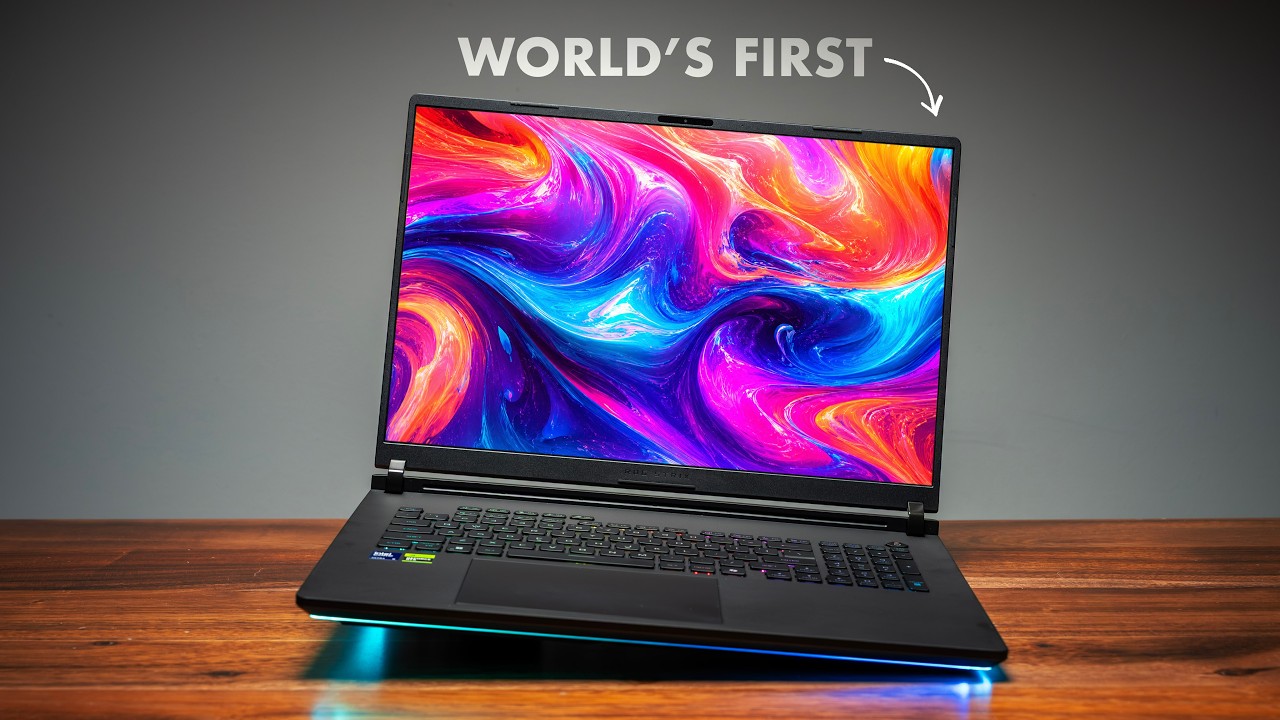
The ASUS ExpertBook Ultra features one of the best laptop displays I've ever tested. Period. This isn't hyperbole—this tandem OLED panel with Corning Gorilla Glass Victus matte coating is genuinely special.
What Makes This Display Special
Tandem OLED Technology: Unlike traditional OLED or mini-LED displays, tandem OLED uses two stacked OLED layers. This provides:
- Higher brightness without degrading pixels as quickly
- Better longevity compared to single-layer OLED
- Superior HDR performance
Display Specifications:
- Resolution: 3K (2880 x 1800)
- Refresh Rate: Variable 30-120Hz (144Hz on higher-end model)
- Peak Brightness: 1,400 nits
- PWM Modulation: 960Hz (reduces eye strain)
- Technology: Tandem OLED with matte coating
- Touch: Yes, touch-enabled
MacBook Pro Comparison
I tested this side-by-side with a MacBook Pro 14, and while Apple's mini-LED display is excellent, the ExpertBook Ultra's tandem OLED has distinct advantages:
Advantages Over MacBook Pro:
- True blacks (OLED pixels turn completely off)
- More vibrant colors with wider color gamut
- Better HDR with more dramatic contrast
- Superior viewing angles
Similar to MacBook Pro:
- Matte finish reduces glare (comparable to Apple's nano-texture)
- Excellent color accuracy for professional work
- High peak brightness for outdoor use
The matte coating on this display is the closest thing to MacBook Pro's nano-texture I've seen on a Windows laptop. It significantly reduces reflections without sacrificing color vibrancy or sharpness.
Real-World Usage
Whether you're editing photos, watching HDR content, or just browsing the web, this display is stunning. Text is crisp, colors pop, and the high PWM modulation means reduced eye strain during long work sessions. The 960Hz PWM is particularly important for those sensitive to screen flicker.
The variable refresh rate intelligently ramps down to 30Hz to save battery during static content and jumps to 120Hz (or 144Hz) when you need smooth motion.
Build Quality and Design
Materials and Durability
ASUS didn't cut corners on materials. The ExpertBook Ultra uses:
- Aerospace magnesium alloy chassis (similar to F1 racing car materials)
- Nano-ceramic coating (5x industry standard scratch resistance)
- MIL-STD-810H certification (military-grade durability testing)
The result is a laptop that feels incredibly solid despite weighing just 2.4 pounds. The nano-ceramic coating gives it a unique textured feel that helps with grip and resists fingerprints.
Portability
- Weight: 2.4 lbs (0.99-1.1 kg depending on configuration)
- Thickness: Under 11mm
- Form Factor: Highly portable, easy to slip into any bag
This is genuinely one of the thinnest and lightest professional laptops on the market, making it perfect for frequent travelers.
Color Options
- Jet Black (sleek and professional)
- Morning Gray (slightly more subtle, personally preferred)
Both finishes look premium and avoid the boring aesthetic typical of business laptops.
Keyboard, Touchpad, and Input
Keyboard
The keyboard offers:
- 1.5mm key travel (comfortable typing)
- Well-spaced layout
- Dedicated macro keys at the top
- Integrated fingerprint scanner in power button
- LED backlighting with "Expert Looming" hinge lighting
Typing feel is excellent—responsive with good tactile feedback. The key travel hits the sweet spot between ultraportable shallow keys and bulkier laptop keyboards.
Haptic Touchpad
One of my favorite features is the large haptic touchpad. This is a huge improvement over traditional mechanical touchpads, providing:
- Precise tracking
- Consistent click feel across entire surface
- Special gesture controls:
- Swipe left edge up/down: Volume control
- Swipe right edge up/down: Brightness control
- Diagonal swipe from top-right: ASUS Screen Expert
The haptic motor does make a slight noise during clicks, but the precision and responsiveness make it one of the best Windows laptop touchpads available.
Biometric Security
- Fingerprint scanner embedded in power button
- Windows Hello facial recognition support
Both work flawlessly for quick login.
Connectivity and Ports
For such a thin laptop, the port selection is impressive:
Left Side:
- 1x Thunderbolt 4 USB-C
- 1x HDMI 2.1
- 1x USB-A
- 3.5mm combo audio jack
Right Side:
- 1x Thunderbolt 4 USB-C
- 1x USB-A
This covers nearly every connectivity need. The inclusion of HDMI 2.1 is particularly welcome for presentations and external displays. Having two USB-A ports means you won't need dongles for legacy peripherals.
Both Thunderbolt 4 ports support charging, data transfer, and display output, giving you maximum flexibility.
Audio Performance
The ExpertBook Ultra packs six speakers into its slim chassis, and they sound fantastic. Audio quality exceeds what you'd expect from a business laptop:
- Clear mids and highs
- Surprising bass presence for laptop speakers
- Good stereo separation
- Adequate volume for small room presentations
While not replacing dedicated speakers, these are among the best laptop speakers I've tested.
Battery Life
With a 70Wh battery, the ExpertBook Ultra delivers exceptional endurance:
- 13+ hours in PC Mark Modern Office test
- Real-world mixed usage: 10-12 hours
- Gaming on battery: 4-5 hours (with minimal performance penalty)
This easily gets you through a full workday with charge to spare. The efficient Intel Core Ultra processor and variable refresh rate display contribute to the impressive battery life.
Upgradeability and Internals
Opening the ExpertBook Ultra reveals:
- RAM: Soldered LPDDR5X (not upgradeable)
- Storage: User-replaceable Gen 5 NVMe SSD
- Cooling: Dual-fan design with extensive copper heatpipes
The Gen 5 SSD delivers exceptional read/write speeds, perfect for large file transfers and demanding applications. While soldered RAM limits upgrades, most configurations come with sufficient memory for professional work.
Software and Features
ASUS Screen Expert
Accessible via touchpad gesture, ASUS Screen Expert provides:
- Display calibration tools
- Color profile management
- Blue light filtering
- Brightness and refresh rate controls
Power Management
The upcoming Turbo mode software update will boost TDP from 45W to 50W, providing even better performance for demanding tasks.
Who Should Buy the ASUS ExpertBook Ultra?
Perfect For:
Content Creators: The powerful CPU, excellent display, and good GPU make this ideal for photo/video editing on the go.
Business Professionals: Premium build, professional aesthetics, and MIL-STD certification meet corporate requirements.
Traveling Workers: Extreme portability with no performance compromise.
Hybrid Users: Those who need productivity during the day and want gaming capability in the evening.
Consider Alternatives If:
- You need maximum upgradeability (RAM is soldered)
- Budget is extremely tight (this is a premium device)
- You require discrete GPU for heavy 3D work
- You prefer macOS ecosystem
Final Thoughts
The ASUS ExpertBook Ultra represents everything I want in a modern laptop. It takes the best aspects of business notebooks—durability, professional design, security features—and combines them with consumer-friendly features like gaming capability, stunning display quality, and exceptional battery life.
Intel's Core Ultra Series 3 processors prove the company is back in fighting form, and the Arc B390 integrated GPU is nothing short of revolutionary for thin-and-light laptops. But the real star is that tandem OLED display, which sets a new standard for Windows laptops.
If ASUS prices this competitively, it will be one of the best laptop releases of 2026. This isn't just a great business laptop—it's a great laptop, period.
Frequently Asked Questions
Q: Can the ASUS ExpertBook Ultra replace a gaming laptop? A: For casual to moderate gaming at 1080p, yes. The Intel Arc B390 handles modern games at playable framerates with tweaked settings. However, for max settings 4K gaming or competitive high-refresh gaming, a dedicated gaming laptop is still preferable.
Q: How does battery life compare to MacBook Pro? A: Very competitive. The 13+ hour battery life in productivity tasks matches or exceeds M-series MacBook Pros, though Apple still has a slight edge in video playback endurance.
Q: Is the RAM being soldered a dealbreaker? A: It depends on your needs. For most users, configurations with 16GB or 32GB will be sufficient for years. Power users who regularly exceed 32GB may want to look elsewhere.
Q: What's the difference between tandem OLED and regular OLED? A: Tandem OLED uses two stacked OLED layers, allowing for higher brightness, better longevity, and reduced burn-in risk compared to traditional single-layer OLED displays.
Q: Will this laptop work well for video editing? A: Absolutely. The combination of powerful CPU, fast SSD, accurate display, and capable integrated graphics makes it excellent for Premiere Pro, DaVinci Resolve, and other professional video editing applications.
Q: How does this compare to the ASUS ZenBook series? A: The ExpertBook Ultra is more business-focused with MIL-STD certification and professional aesthetics, while offering similar performance to the ZenBook Duo but in a more traditional laptop form factor.
Last Updated: January 2026