I Tested the New Predator Helios Neo 16S AI and the Battery Surprised Me (+ Atlas 8)
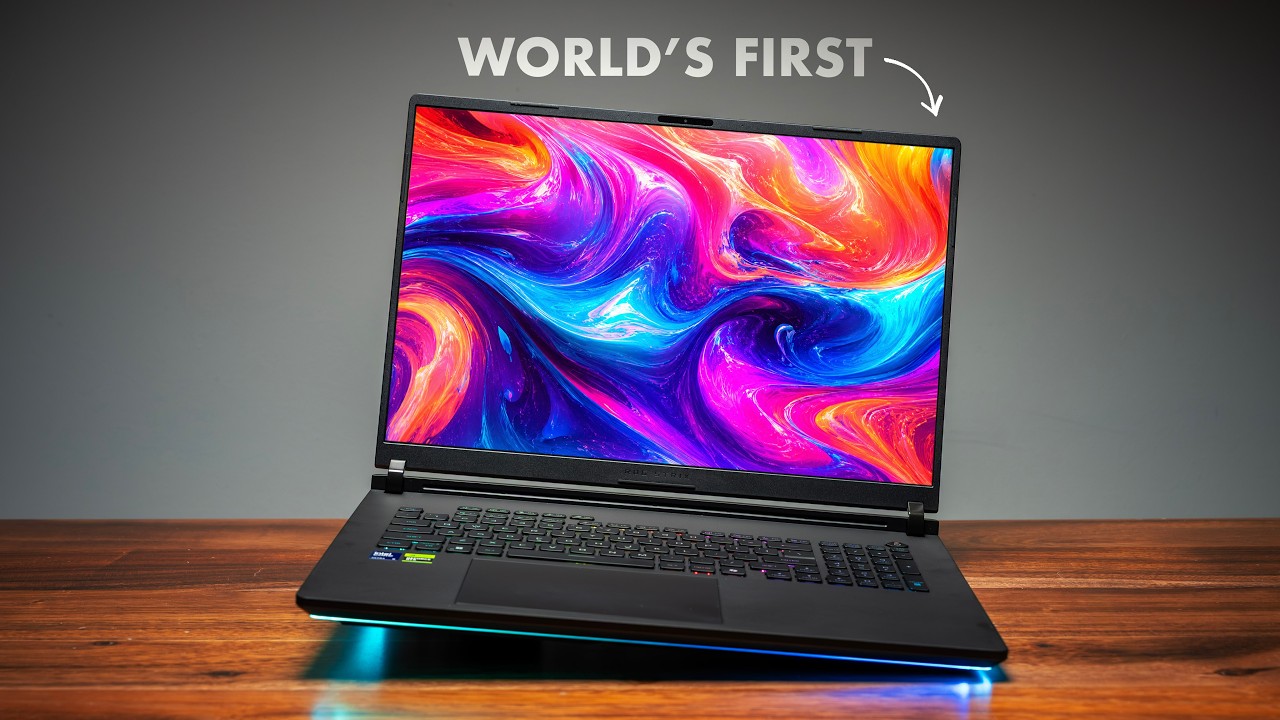
This is the Acer Predator Helios Neo 16S AI. Don't confuse it with the Helios Neo 16 AI I reviewed a few days ago. It's the same idea, but lighter and a lot thinner: 18.9 mm at its thickest point, so it's easy to carry around.
It has the same design as the 2025 model, and mine has the same RTX 5070 Ti, but there are two big changes. The first is the CPU: the Intel Core Ultra 9 290HX Plus, which performs really well in a chassis this thin. That completely surprised me. The second is battery life: I got over two hours more out of this one than last year's model. I'll compare it to its bigger brother and to last year's 16S, and stick around for the Acer Predator Atlas 8, which has turned out to be one of my favorite handhelds I've played with this year.
Quick Verdict
The 16S is the gaming laptop you travel with. It's light enough to carry every day and has the performance to play whenever you want. The RTX 5070 Ti is the sweet spot for laptop GPUs right now, especially for the price. The 290HX Plus gives you a nice jump over last year, especially in single-core, and the bigger 92Wh battery gets you over two hours more. The 240Hz OLED is gorgeous and color-accurate. The config I reviewed is $2,459 at Best Buy.
The trade-offs: the keyboard deck is plastic, the black finish loves fingerprints, the speakers are just okay, and it gets loud in Turbo.
Key Specs
| Spec | Helios Neo 16S AI (2026, as tested) |
|---|---|
| CPU | Intel Core Ultra 9 290HX Plus |
| GPU | NVIDIA GeForce RTX 5070 Ti (12GB) |
| Display | 16" 16:10 OLED, 2560×1600, 240Hz, glossy |
| RAM | 32GB (two slots, up to 64GB) |
| Storage | 1TB NVMe SSD + a second empty slot |
| Battery | 92Wh (up from 76Wh) |
| Thickness | 18.9 mm at its thickest |
| Weight | ~4.85 lb |
| Wi-Fi | Wi-Fi 6E (swappable card) |
| Price | $2,459 at Best Buy |
What's New vs. Last Year
| 2025 Helios Neo 16S | 2026 Helios Neo 16S AI | |
|---|---|---|
| Top CPU | Core Ultra 9 275HX | Core Ultra 9 290HX Plus |
| Battery | 76Wh | 92Wh |
| Battery life (my test) | 4h 25m | 6h 36m |
| Speedometer | 40 | 48 |
If I had to sum up 2025 vs. 2026 in one line: faster CPU, bigger battery.
Design, Weight, and Ports
From a design standpoint, it's identical to the 2025 model. You get a metal lid and a metal bottom, which, by the way, the bigger Neo 16 doesn't have, and a more plasticky keyboard deck. That's fine; you have to keep the weight down somehow. It feels really good overall and it's surprisingly light, under 5 lb, around 4.85.
The port lineup is really good:
- Back: power, HDMI 2.1, one Thunderbolt 4, and a second USB-C
- Left: RJ45 Ethernet, USB-A, microSD card slot, headphone jack
- Right: two USB-A
That bump on the back is where most of the ports live. It keeps the cooling away from the keyboard deck, which is very important, and most of your cables go out behind the laptop instead of sticking out all over the place.
There's no nice way to say this: it's a black laptop, so it picks up fingerprints easily. Carry a cloth around to keep it clean. The logo on the lid lights up, and you can change its color in PredatorSense. You can open it with one hand, and the hinge is really good.
Keyboard, Trackpad, and Speakers
- Keyboard: includes a numpad, and has four-zone RGB (not per-key). The keys feel nice and clicky, and keyboard flex is actually better than on the Neo 16 I just reviewed.
- Trackpad: a good size, more than big enough for a gaming laptop. It's mechanical with a glass surface.
- Mode button: the little button at the top cycles performance modes. On battery it switches between Eco and Balanced; plugged in, you can go all the way up to Turbo, which lights up purple.
- Login: no fingerprint sensor, but the webcam has Windows Hello facial recognition.
- Speakers: two bottom-firing speakers. That's not the best place for them, and they're just okay.
Display
The thing I love most about this laptop is hands down the display: a 16-inch, 16:10 OLED at 2560×1600 and 240Hz.
| Display (240Hz OLED) | Result |
|---|---|
| sRGB / DCI-P3 | 100% / 100% |
| Delta E average | 0.75 |
| SDR brightness (measured) | ~433 nits |
| HDR peak (rated) | 500 nits |
You get all that OLED contrast and color, and it's accurate too. If you're buying this to game but also do content creation, this screen is excellent for it. Viewing angles are phenomenal because it's OLED, but it's a glossy panel, so things look more vibrant and you'll get some reflections.
CPU Performance: Intel Core Ultra 9 290HX Plus
Last year's model topped out at the Core Ultra 9 275HX. This year you get the 290HX Plus, from Intel's Core Ultra 200HX Plus series. As I've said in other videos, this chip really depends on how it's tuned, and Acer did a really good job with it here. I was worried, because this laptop is so thin, but it's a real step up from last year in certain situations.
- Multi-core: about 8% faster than the 2025 model, and about 14% behind the bigger Neo 16 with the exact same CPU. That makes sense: the bigger chassis has more room and better cooling, so it can hold more power for longer.
- Single-core: about 16% faster than last year, and it matches the bigger Neo 16. You'll feel that in everyday stuff.
- Speedometer: went from 40 to 48, about 20% faster.
Creator Apps and Local AI
- Premiere Pro and Photoshop: very similar to last year, a bit faster in some cases. Surprisingly, it beat the bigger Neo 16 in Photoshop, though Photoshop is an easy job for any of these laptops.
- DaVinci Resolve: 82,095. If you're cutting 4K timelines, the 16S will absolutely handle it.
- Local AI: you're mostly using the 5070 Ti's 12GB of VRAM, so the model has to fit inside it. It's an absolute monster if it does, but bigger models won't fit.
Gaming and DLSS 4.5
Everything here is on the High preset in Turbo mode. With an RTX 50 series GPU, you get DLSS 4.5.
| Game | 2560×1600 | + DLSS | 1920×1200 | + DLSS |
|---|---|---|---|---|
| F1 25 | 142 FPS | 174 FPS | 179 FPS | 182 FPS |
| Black Myth: Wukong | 56 FPS | 82 FPS | — | — |
| Doom | 49 FPS | 87 FPS | — | — |
At 1920×1200 the DLSS gap shrinks because the game becomes CPU-bound. At 2560×1600 is where DLSS makes the bigger difference, as long as the game supports it. Overall, DLSS got me anywhere from 23% to 78% more frames, depending on the game. In a really demanding game, if you want to get closer to that 240Hz refresh rate, you can drop to 1920×1200 and it still looks good on a 16-inch screen.
Thermals and Fan Noise
It can get loud in Turbo, and that's exactly what Turbo is for: crank the fans and run everything as fast as it can.
| Mode | Fan noise |
|---|---|
| Turbo | 56 dB |
| Performance | ~50 dB |
| Balanced | 37 dB |
| Quiet | 35 dB |
If you don't mind giving up a little performance for a quieter laptop, use Performance mode.
- GPU: in a 20-minute stress test it averaged 81°C with a peak of 83°C, and the frame rate only dropped about 2% from start to finish.
- CPU: pushed flat out, it peaks at 145W and up to 105°C for the first minute or so, then settles around 80W and 90°C. The bigger Neo 16 stayed up around 104°C the whole time. So you get the burst performance, and then it's smart enough to pull the wattage back and keep the CPU cooler.
Battery Life: My Favorite Upgrade
Last year's 16S had a 76Wh battery and lasted 4 hours 25 minutes in my test. This one has a 92Wh battery and lasted 6 hours 36 minutes. That's over two hours more. It even outlasted the bigger Neo 16, which got 5 hours 33 minutes with the same size battery.
Inside: Memory, SSD, and Upgrades
I was expecting a slimmer gaming laptop like this to have soldered memory, but it doesn't.
- RAM: two slots. Mine has 32GB, and you can go up to 64GB.
- Storage: a replaceable NVMe SSD plus an extra empty slot, so you can always add more.
- Cooling: no vapor chamber, but a ton of copper running back and forth, plus Acer's AeroBlade fan technology.
- Wi-Fi: only Wi-Fi 6E, but the card is swappable.
Predator Atlas 8
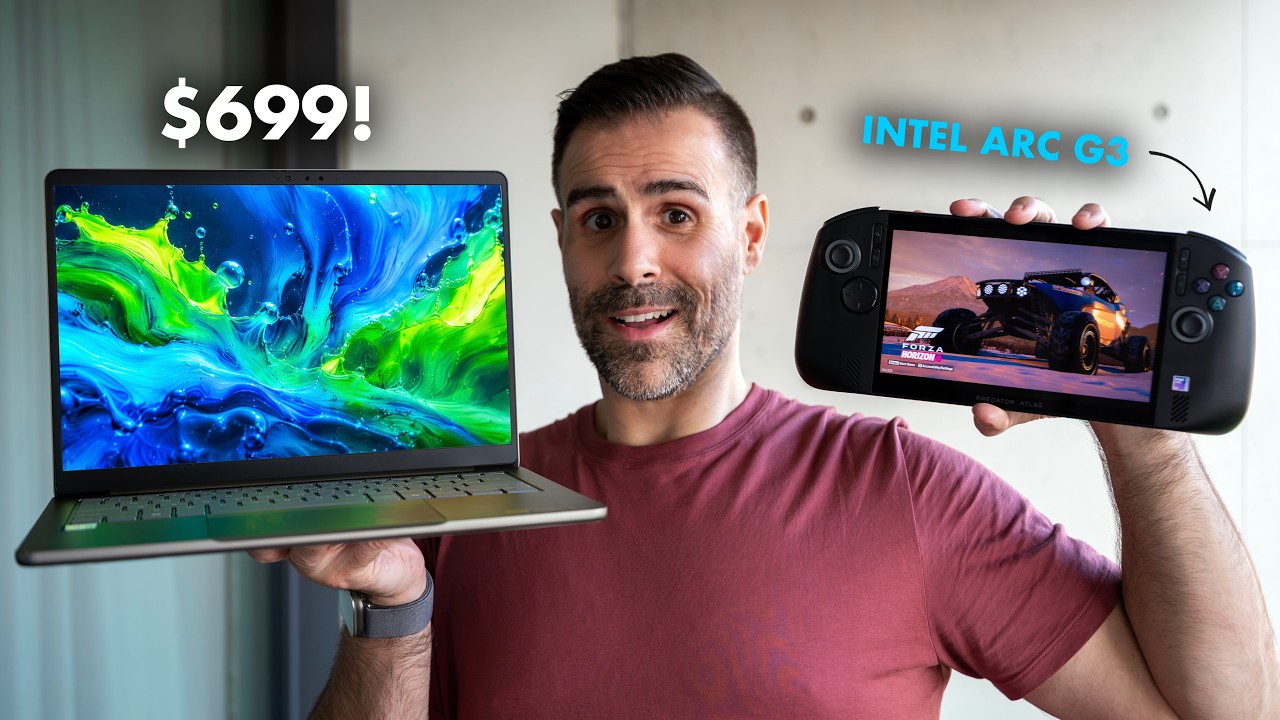
I also want to talk about the Acer Predator Atlas 8, a handheld that really surprised me. (I first went hands-on with it at Computex 2026.) Intel makes two versions of the chip inside, the Arc G3 and the Arc G3 Extreme, and mine has the Extreme. The performance I'm getting out of it is seriously impressive. If I were going to game on a handheld right now, this would be the one.
| Spec | Predator Atlas 8 (as tested) |
|---|---|
| Processor | Intel Arc G3 Extreme |
| Display | 8" IPS, 1920×1200, 120Hz with VRR, 500 nits |
| Storage | 1TB, plus microSD |
| Battery | 80Wh (a 60Wh version also exists) |
| Connectivity | Wi-Fi 7, two Thunderbolt 4 |
| Controls | TMR joysticks, dual-mode triggers, two rear buttons |
- The 8-inch display is the size you want. Anything bigger is too big to carry around, and anything smaller is too small for my old eyes. It has enough performance to play at the full 1920×1200, so you don't have to drop to 720p.
- Get the 80Wh battery. There's also a 60Wh version. If you're away from an outlet a lot, you'll want those extra 20 watt-hours.
- The TMR joysticks feel awesome, and because they're magnetic, there's nothing in there to wear out and start drifting.
- Dual-mode triggers have a physical switch on the back: a short click for shooters, or full analog travel for racing games. The two rear buttons can be bound to whatever you want.
Atlas 8 Gaming
All on Medium settings at the full 1920×1200:
| Game | Native | With XeSS |
|---|---|---|
| F1 25 | 90 FPS | 100 FPS |
| Cyberpunk 2077 | 51 FPS | 75 FPS (Quality) |
| Black Myth: Wukong | 47 FPS | 52 FPS |
XeSS 3, Intel's upscaling, is now supported in over 300 games. If the game supports frame generation, like Cyberpunk does, you can turn that on too: I hit 120 FPS in Cyberpunk with it, which takes full advantage of the 120Hz display. You can jump into pretty much any game and have a great time as long as you're willing to tweak the settings a little. Acer even has its own little Predator mini game built in, where you're a cool little chicken jumping over mines and collecting coins. It takes real precision with the controller, and it's actually pretty tough.
Performance Modes
| Mode | Power | Fan noise | Cyberpunk (plugged in / battery) |
|---|---|---|---|
| Turbo | 35W | 42 dB | 70 / ~66 FPS |
| Balanced | 30W | 39 dB | 70 / ~60 FPS |
| Quiet | 25W | 36 dB | 59 / 56 FPS |
| Manual | 10–40W | — | — |
Acer uses its AeroBlade cooling with a metal fan here and says it moves 10% more air, and it's pretty quiet. I think Balanced is the pick for most games, especially on battery: you get 94% of Turbo's frame rate, it's quieter, and it does it on five fewer watts.
Benchmarks and Software
- Cinebench single-core: 479, right behind last year's 16S. Multi-core is about half of what the 16S does, as it should be for a handheld.
- 3DMark Steel Nomad: 1,327, a really good score for a handheld running on an integrated chip.
- It runs the Xbox experience, and you can jump into Windows whenever you want, but I prefer to stay in the Xbox experience for the best performance.
- Acer's own software is built in. One button brings up quick menus to drop the refresh rate to save battery, switch profiles on the fly, check your battery, or bring up an FPS monitor. In PredatorSense you can change the lighting, calibration, audio, and more.
The Bottom Line
The Helios Neo 16S AI is the laptop you travel with: light enough to carry every day, with the performance to play whenever you want. The 5070 Ti is the sweet spot for laptop GPUs right now, the 290HX Plus gives you a nice jump over last year, and the bigger battery gets you over two hours more. If you're still thinking about the Neo 16, it's heavier and more of a desktop replacement: something you can carry here and there, but not every day.
The Atlas 8 is a great companion to it. If I just want to do a bit of gaming without carrying anything else, the 8-inch display and the performance from the Intel Arc G3 Extreme are super impressive. You can start a game on your laptop and continue it on your Atlas 8.
Where to Buy
- Acer Predator Helios Neo 16S AI: $2,459 at Best Buy (RTX 5070 Ti, 32GB, 1TB, OLED)
- Acer Predator Atlas 8
This video was sponsored by Acer and Intel.
Affiliate Disclosure: This article contains affiliate links. If you purchase through these links, we may earn a commission at no extra cost to you.
Published: November 2026