ASUS ProArt PZ14 Review: The Display Is Incredible, But...
This is the brand new ASUS ProArt PZ14, and I've been living with it for the past several weeks. Here's the thing that makes it interesting: it's a 14-inch tablet that weighs 0.79 kg — about 1.74 lb — but somehow has enough horsepower to be a real productive machine, edit photos, and even game a little. ASUS sent this out and is sponsoring this video, so I'm going to do what I always do: show you the good and be straight with you about where it gives up. Because once you understand the chip inside this thing, everything else starts to make sense.
Quick Verdict
The ProArt PZ14 is a beautiful, versatile detachable tablet with genuinely one of the best displays I've put in front of a camera — and a keyboard that actually doesn't suck, which is rare for this category. But it's built on the Snapdragon X2 Elite, an ARM chip, and that's the whole story of this device. Battery life and silence are outstanding, Photoshop performance is excellent, but multi-core workloads, Premiere Pro, and gaming compatibility all take a hit compared to an x86 machine. It's not for heavy 4K editors or hardcore gamers. It's for creators who want a genuinely portable, all-day sketch-and-edit companion.
What Is This, Really?
It's a detachable. The tablet is the computer — the cover snaps onto the back and folds into a stand, the keyboard magnetically clicks onto the front, and when you peel the top part back, there's a slot for the pen. The pen ships in the box if you buy from the ASUS store in the US, but on Best Buy or here in Canada, you have to buy it separately.
That keyboard surprised me. Most detachable keyboards have garbage travel distance. This one has 1.7mm of travel with dish-shaped keys, and the moment I started typing on it, I could tell somebody actually cared. You won't need to pair a separate keyboard — the one it comes with feels really, really good.
The Chip: Why Everything Else Makes Sense
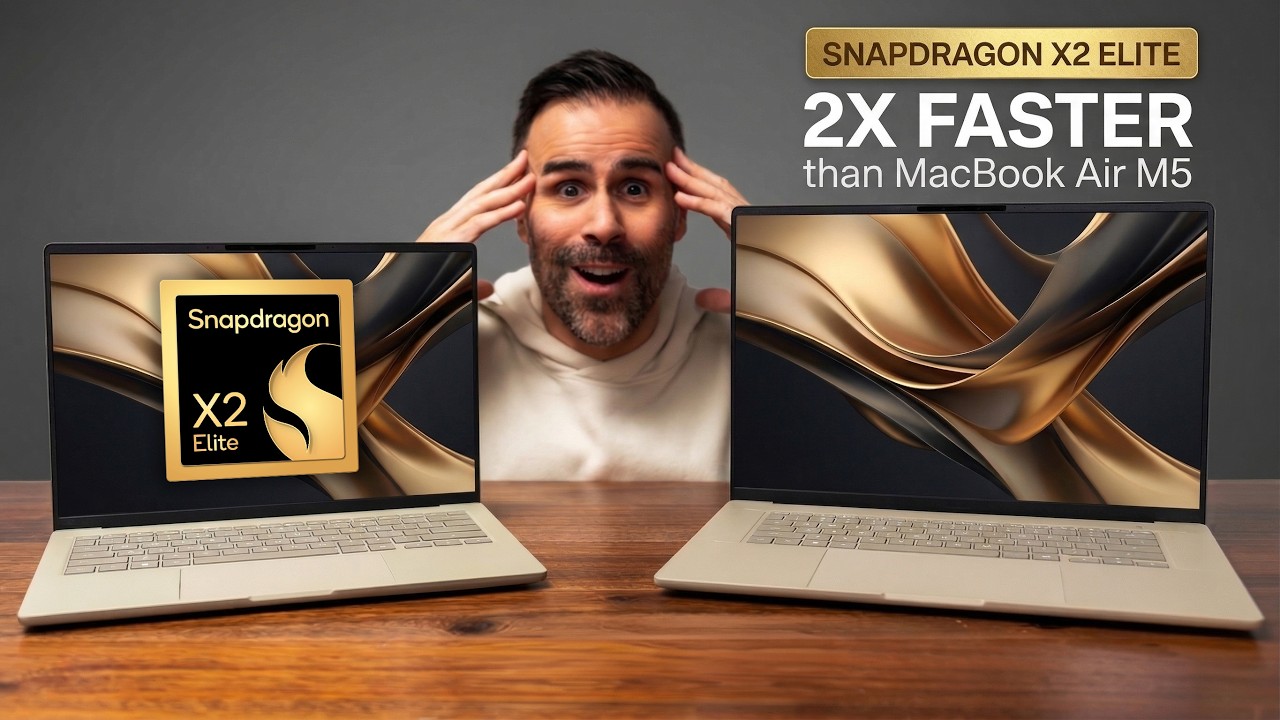
The brain here is the Snapdragon X2 Elite — an 18-core chip, 12 prime cores and six performance cores, with an 80 TOPS NPU for AI if you care about that. But the thing you need to internalize is that this is an ARM chip, not the Intel or AMD x86 silicon most Windows laptops run on. There's a lot of good that comes with ARM, and a few things that might frustrate you — I'll get into both.
Build: Rugged for a Tablet
It's 9mm thick, aerospace-grade aluminum, IP52 rated, and passed MIL-STD-810H military durability testing — vibration, drops, temperature and shock from -50°C to 71°C. That's more rugged than your average tablet, which matters if you're actually throwing it in a bag and moving around.
The trade-off of being this thin is the ports: just two USB4 Type-C ports (good bandwidth, up to 100W charging), plus a hidden full-size Express Card slot and SD card slot under a little cover — good news for creators. On the other side, just a volume rocker and the power button up top.
The Display: The Star of the Show
This display is hands-down the best part of the laptop. It's a 14-inch, 16:10, 2880×1800 OLED — an ASUS Lumina Pro panel running at 144Hz with VRR, 100% DCI-P3, Pantone validated, delta-E under 1 for color accuracy, and it hits 1,000 nits of peak brightness with true HDR. There's also an anti-reflective coating that cuts glare by about 65%.
Translated: the color is dialed in straight out of the box, accurate enough that you can actually trust it for editing. The anti-glare coating means you can work outside without fighting your own reflection — it doesn't kill all the glare, and it's still glossy, not matte, but it's noticeably better than most glossy panels.
Performance: A More Nuanced Story Than the Spec Sheet
Single-core, running Cinebench R26, this chip flies — Speedometer 3.1 came right at the top of what I've tested. If you live in a browser, using modern web apps, office work, everyday productivity, this is going to feel really smooth.
But here's the thing I owe you: the ASUS ZenBook A14, a cheaper laptop with basically the same chip family but a higher power ceiling, actually beat the PZ14 in multi-core and finished a Firefox compile test faster. Why? This is a 9mm tablet with a 25-watt thermal ceiling — tuned for cool and quiet, not sustained max wattage. That's the price of the form factor. It's not a flaw, it's a choice, but you should know it going in.
Where it wins, and it's not even close, is Photoshop. Puget Bench had the PZ14 crushing past the Intel machines I compared it against, because the memory is unified and Photoshop loves fast RAM — and this has ridiculously fast RAM.
Premiere Pro is a different conversation. Can you edit video on it? Sure. Should it be your main 4K editing rig? Absolutely not. It'll handle clips and the odd short just fine — that's the lane it was built for.
The Gaming Elephant
At the end of the day, this is an ARM chip, and some games just won't run well. Marvel Rivals, for example — not really compatible, it just shuts down. But titles optimized for ARM run beautifully: Fortnite runs great, World of Warcraft (now made for ARM) runs beautifully, Overwatch works if you tweak settings a bit. This is getting better every six months, and once RTX-class ARM machines land later this year, that momentum should accelerate. It's not where x86 is yet, but it's not the dealbreaker it was two years ago.
Battery and Silence: Where ARM Truly Pays Off
My video playback test ran 16 hours and 54 minutes. ASUS rates it up to 22 hours for Full HD playback. Either way, this thing basically feels like a phone that happens to be a tablet or laptop. On standard or whisper fan profiles, you will not hear the fans at all — you have to push it under sustained load before they even show up.
For Creators
ASUS loaded this up for the creative crowd. The ASUS Pen 3.0 (sold separately) has 4,096 pressure levels, and there's a partnership with GoodNotes — free for 3 months plus 30% off year one. At 144Hz, the pen on this glass feels close to paper.
The speakers are just okay — two of them, nothing worth a dedicated sound test.
Who Should Skip This
Be real with yourself about who this isn't for. If you're a heavy 4K video editor, this isn't your main machine. If you're a hardcore gamer who wants every AAA title on day one, ARM isn't there yet. And one important thing before you buy: this is a sealed product. Most components are soldered on. The SSD is technically upgradeable but not something you'll casually do yourself — so spec the configuration you actually want the first time, because there's no popping it open later.
Final Verdict
This is a beautiful, versatile tablet. Put it in portrait mode and read articles, flip it horizontally to watch something in your hand, pop the keyboard off and use it like an iPad — that flexibility is the whole point of the form factor. It's not cheap, but component costs across the board (RAM, SSDs) have gone up industry-wide. If you're ready to go all-in on an ARM Windows tablet and your work leans toward Photoshop, sketching, and everyday productivity over heavy video editing or AAA gaming, the ProArt PZ14 delivers on that promise.
Where to Buy
This was a sponsored review — ASUS sent the unit and sponsored this video.
Affiliate Disclosure: This article contains affiliate links. If you purchase through these links, we may earn a commission at no extra cost to you.
Published: July 2026